
Ad (Variant) Preview
A new button has been added to the AdEdit page that will allow the Ad to be previewed. This should give a preview for how to the Ad should look within newsletters or the websites. Clicking on the ads still work as links but don't include UTM Parameters (if they exist). The link included UTM will be given as text under the Ad.
This option is available for Standard, Video, and Hybrid Ad Types.
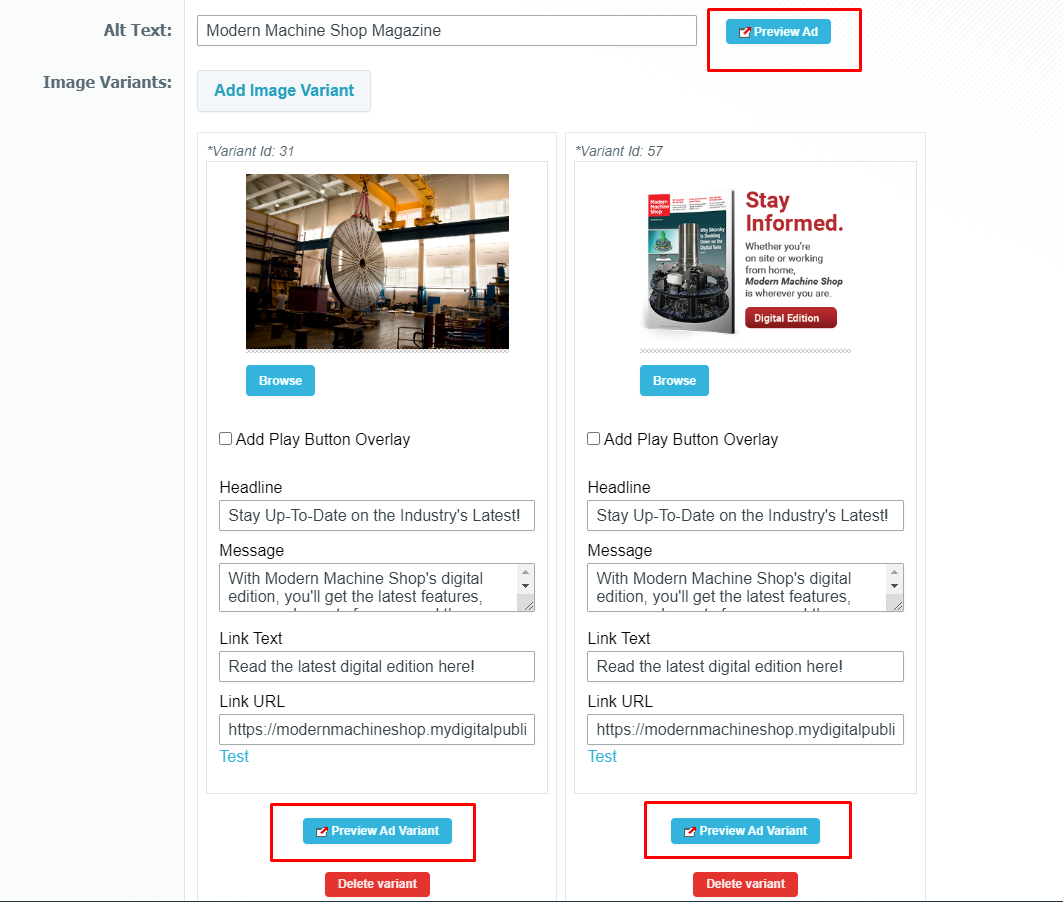
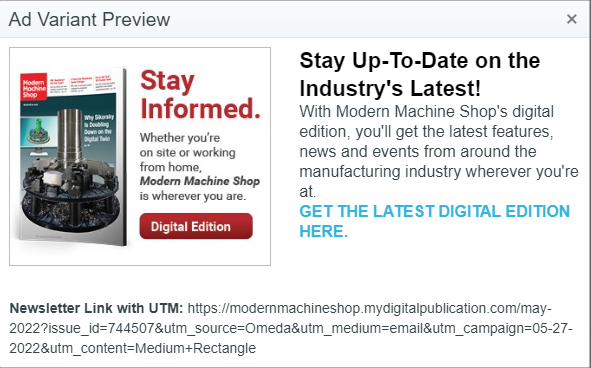
NOTE: This is using the saved Ad information. Changes from the current edit will not be used for this preview.
Build & Content Marketing Dashboard Strip Content Shuffle
 Tom Gobich
A new shuffle field has been added to the Photo Series and Color Series strips both within Build and the Content Marketing Dashboard. When "Shuffle Content" is checked, the order the content is pulled will be shuffled on each load. So, when you refresh the page an item that was appearing in slot 1 may move to slot 2 or 3 since the order will be shuffled. When unchecked, the order will remain as you've defined it.
Things to note...
- When a taxonomy pull is selected on the "Content Selector" the shuffle setting will be ignored for performance reasons.
- When "Manually Insert Content" is selected, clipboard items will not be included in the shuffle.
- Within Build, strips will default with shuffle set to off.
-
Within the Content Marketing Dashboard, strips will default with shuffle set to on. However, all currently existing strips have been defaulted to off.
Content Marketing Dashboard Strips, Active/Inactive
Tom Gobich
The Home & Zone Strips on the Content Marketing Dashboard now have an active/inactive toggle. When a strip is active, so long as it has a Pull Type, it'll be displayed at it's position on either the home or zone page(s). When a strip is inactive the strip won't be displayed and instead the fallback content for the position will be displayed, whether that's a featured item or a dev-maintained strip.
When you assign a strip to a position, the strip will be created and marked as inactive. This will allow you to make your selections and populate the content for the strip before it begins to display on the home/zone page. Once you're ready for your strip to be displayed, click the "Inactive" button to toggle the strip to "Active" and the strip should immediately begin displaying.
Quick Links & Dash Training Improvements
Tom Gobich
On the Content Marketing Dashboard the Quick Links and Dash Training management options have been improved for those that have access to manage these sections.
First, the edit, add and delete buttons are hidden when an item is not being interacted with to cut back on visual clutter. You can now hover over an item and these buttons will become visible for those that have access to perform these actions.
Second, you can now drag-and-drop the links and whole groups to reorder them. You can also use this to move an item into or out of a group as well. Previously you would've had to delete the item then recreate it to move it into or out of a group.
To move an item hover over it to display its action buttons. Then, click down on the drag handle, highlighted below, and move the item where you'd like it. A purple shadow will show where it will save to when you release your click. When it's where you'd like it to be, release your click.
Latest Issue Strip Is Now Available
Tom Gobich
A Latest Issue strip has been added to both Build and the Content Marketing Dashboard. This widget accepts a title, title logo/icon, background image, property selection, and link behavior.
If you provide a background image, the image will be displayed similar to how it's displayed with the photo series strip. If a background image is not provided it will display the same as a color series strip.
Similar to the latest issues carousel, you can select a single property to pull the issues from or you can pull from all properties. When pulling from a single property the latest four issues will be pulled. When pulling from all properties, a carousel of the latest issue for each property will be displayed.
As for the link behavior, you can either select not to link, link to the displayed issue's digital edition, or link to the site's article page.
The above is how it displays when selected via the Content Marketing Dashboard.
Above is how it's displayed within Build.
Content Marketing Dashboard - Phase 1
Tom Gobich
The Content Marketing Dashboard has been re-imagined. The dashboard is now broken up into four different sections. Links, Site Maintenance, Social and Push, and Trello.
-
Links - Consists of Quick Links and Dash Training links. Quick Links will be brand specific links unique to a brand's dashboard, while Dash Training links will be the same across all brand dashboards.
-
Site Maintenance - Consists of Featured Content, Read Next, Resources, Home Strips and Zone Strips. Featured Content will only display for the Custom Content team. Read Next and Resources now have an "Overdue" status countdown to help prevent content from becoming stale. Resources can now be pulled from a collection of Dash content, a taxonomy selection, or manually inserted. Home Strips and Zone Strips are brand new. You can assign up to three home strips and one zone strip. This allows you to select between a Color Series strip or a Photo Series strip. These strips work very similar to the strips within Build.
-
Social and Push - This section has been converted from one single table containing future dated items to four sections, this week, this month, future, and past 6 months. Coming in Phase 2 will be the inclusion of push alerts.
-
Trello - Another new section to the dashboard is Trello. This requires you to login and authorize Dash to access your Trello boards and cards. Once authorized a read-only version of Trello will be displayed within your Content Marketing dashboard.
 Powered by ChangeCrab