
Content Keywords
You may have noticed a new category in the edApp for Content Keywords. These keywords are not being used for SEO purposes, but rather are being used to pull related content for continuous scroll.
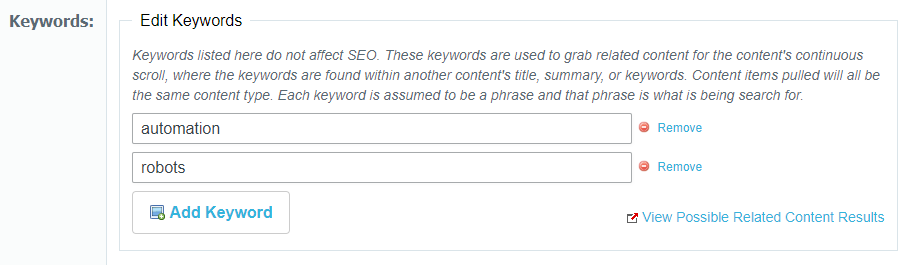
Each keyword is a search phrase that will use a cloud search to find matches in other contents' title, summary, or keywords. Less matches will be found as a phrase becomes more specific. For example, using "Wind Power" as a keyword will search for exactly "Wind Power" and not "Wind" or "Power" separately. All keywords have the same weighting and the content pulled will be based on relevancy score and how recent the content is.
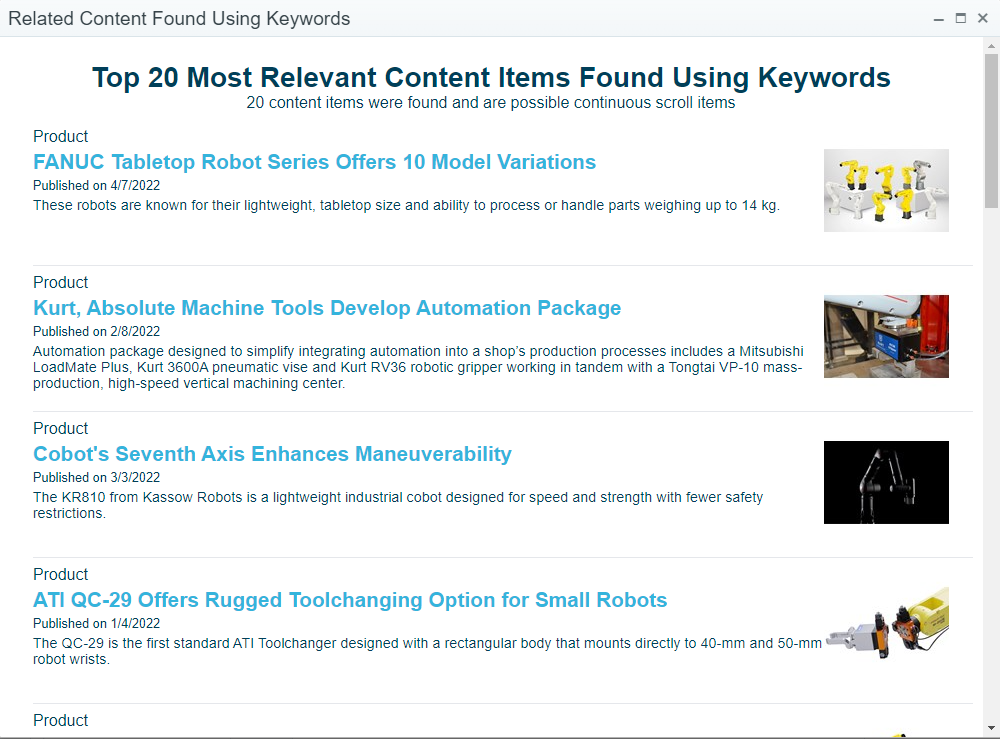
The "View Possible Related Content Results" button is meant to aid with creating keywords. This will display a popup to show the top 20 Cloud Search results using the current keywords and content type. The continuous scroll content items used will be taken randomly from these top 20 results. The results only include currently published content from the last 2 years and whose starting date has already passed. Below is an example using the "Automation" and "Robots" as keywords and Products as the content type:
 Powered by ChangeCrab