
Distribute Published Content Alteration
 Tom Gobich
The default behavior of Distribute's Query Builder has been altered. Previously, the default behavior was to display live, published, content only within the results. Then, you could allow unpublished & future-dated content via the "Non-Published" filter. This behavior has now been flipped.
Now, the default behavior is to display published, unpublished, and future-dated content. Then, you can apply the "Published Only" filter to restrict results to live, published, content. This filter will be important to apply, for example, when creating an RSS Feed you intend to share or pull content from.
Additionally, we've now also added an actions column to the results. With these actions you can "View" the live content, "Preview" not yet published content, and open the content within the Editorial App by clicking "Edit". Note, unpublished content no longer contain a "View" link in the content header nor the action column since the resulting page would be a 404.
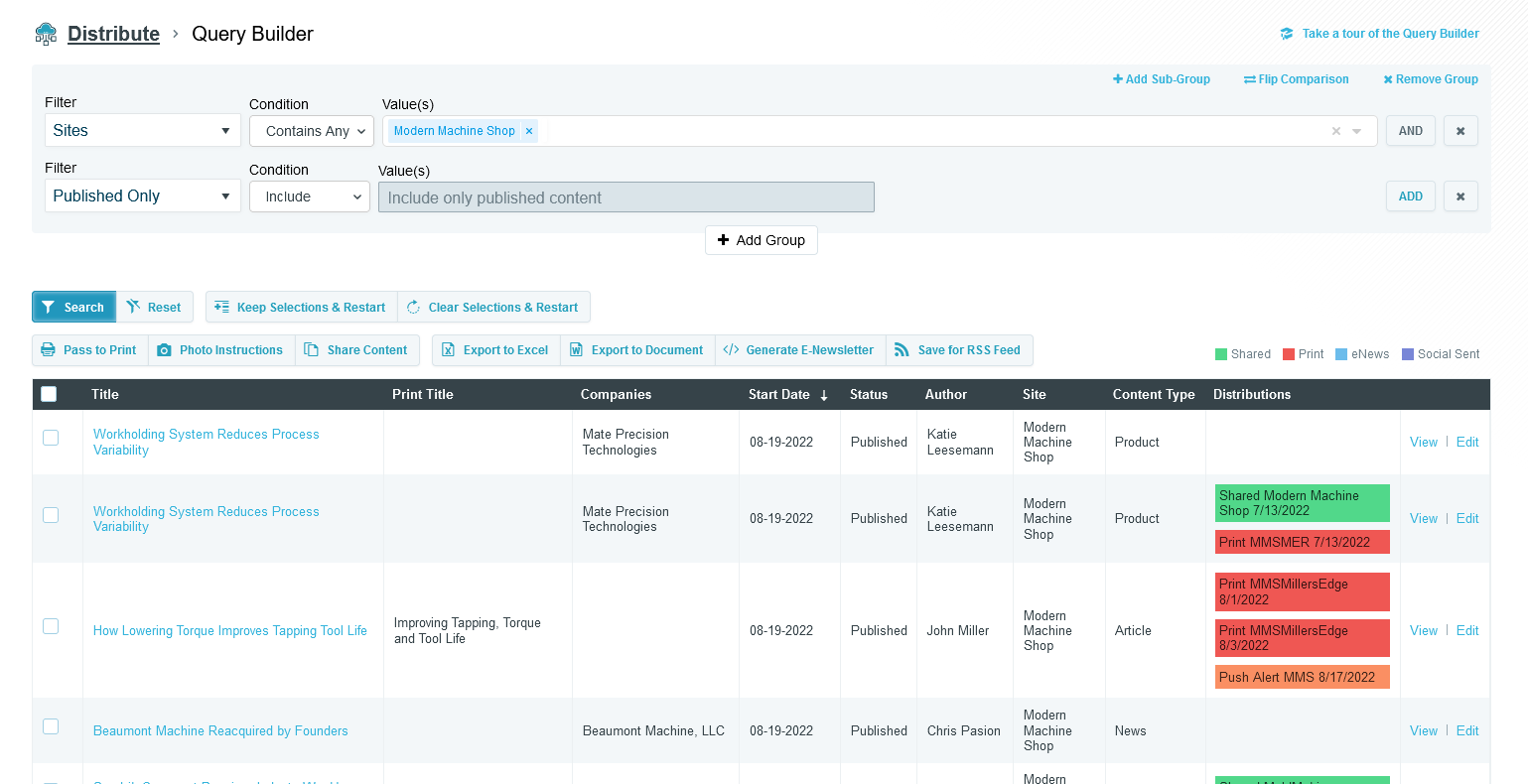
Above you can find an example of a Query Builder restricting the results to Published Only content. You can also see the new action column, the right-most column.
 Powered by ChangeCrab