
Improved Speed for ProspectExhibitorList
/manage/ProspectExhibitorList/{ShowName} has been updated to use a Vue component to display the list of exhibitors for the given show. With this change, the speed of grid updates, such as sorting and filtering, will be much quicker.
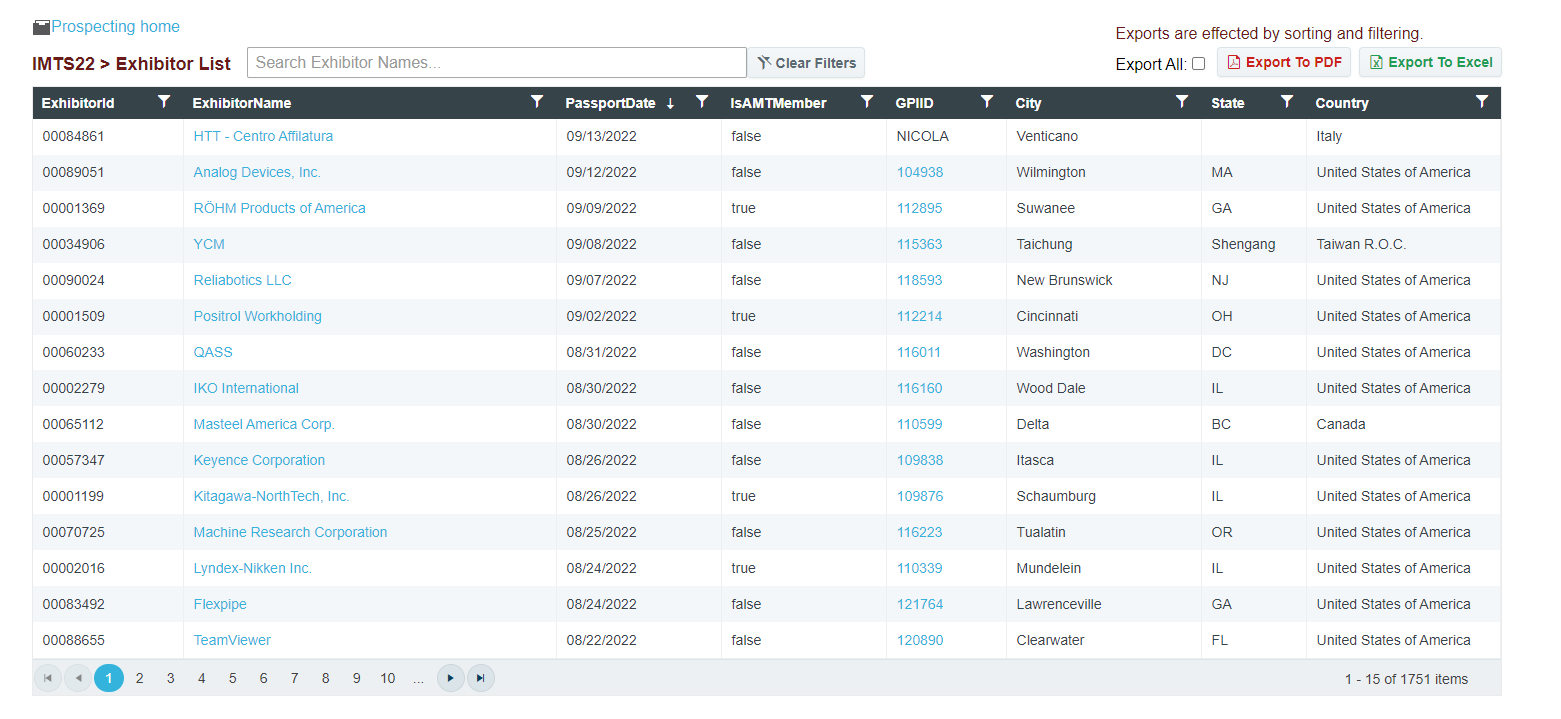
The "Export All" button will simply change whether the Exports are set to export only the current viewed exhibitor list or all of them. The button will no longer display all exhibitors as a giant list because of the slow-down. When displaying all records at once, updates to the grid will take multiple seconds each instead of the near-instant results found using the chosen implementation. It is important to note that the sorting and filtering are carried over to the exports as well.
Any column can be filtered and sorted on. The search box above the grid will update the filter on the ExhibitorName column. By default, the filter type will be looking for exhibitor names that "Contain" the given input text, though will use the currently selected filter type if the option is changed.
Individual filters can be cleared by using the "Clear" button in the column's filter dropdown. The "Clear Filters" button above the grid will clear all filters from the grid.
The Exports were also updated as well. The exports will either export the currently displayed or all exhibitors (After Filtering and Sorting).
The Excel Export should be seen as a total improvement as it will now export as an .xlsx file instead of .csv giving more features in the export. With this change, the headers are now sortable and filterable from within Excel as well. (Once again... just a reminder that filtering on the grid before exporting will limit the exhibitors shown in the exported list). The column sizes are also defined so should be more easily read.
The PDF Export will result in a well-formatted pdf file, though there is an unfortunate side-effect from the grid's speed improvement changes. Because the Export All option has the export render the full list of exhibitors in the background, the PDF Export may be a bit slower and will cause the page to become frozen and unresponsive. The time is dependent on the number of total rows being exported. For reference, an export of 1750 items took about 40 seconds.
 Powered by ChangeCrab