
Distribute Metrics, Republished, and Word Count Expansion
 Tom Gobich
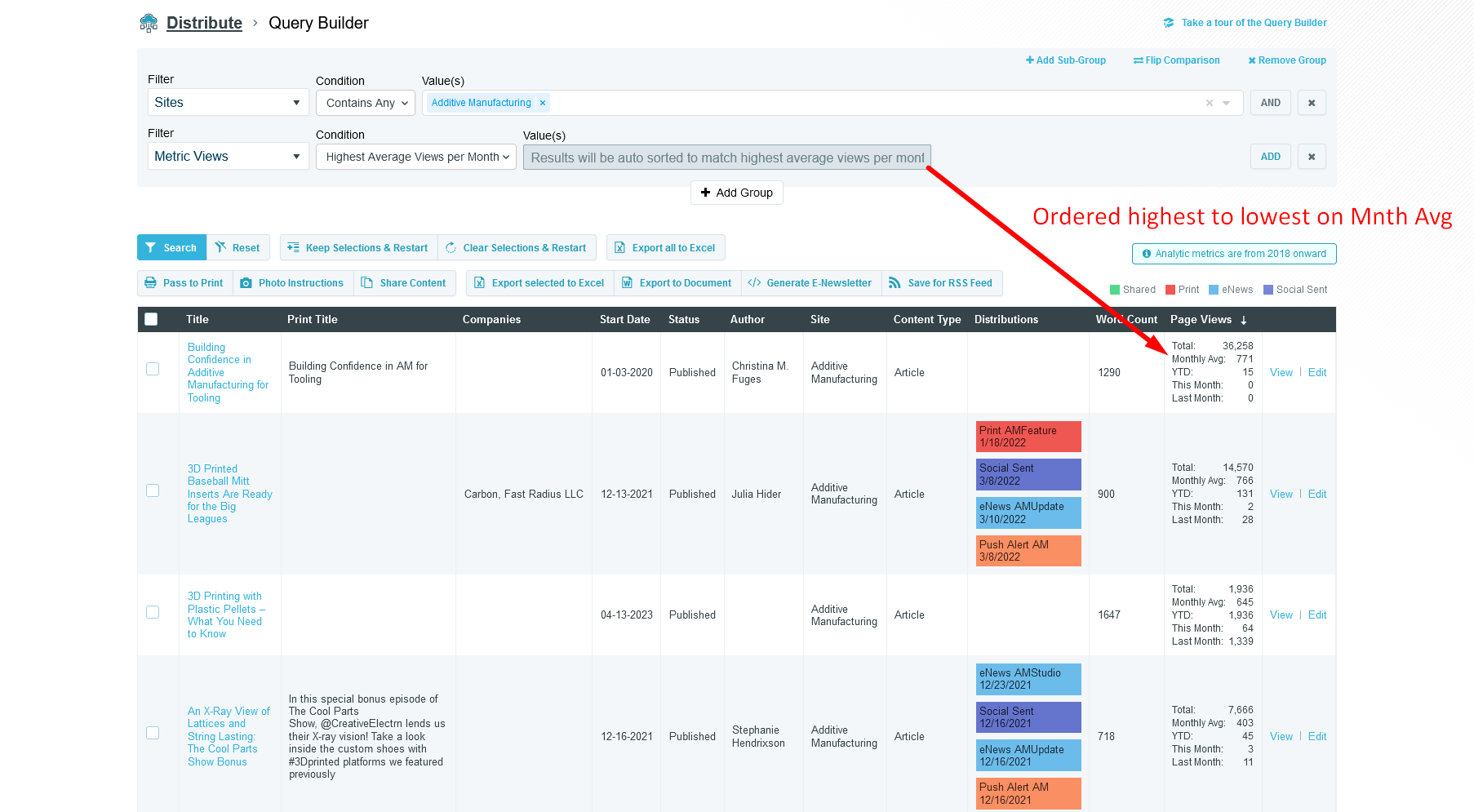
The Query Builder within Distribute now contains several new filter options
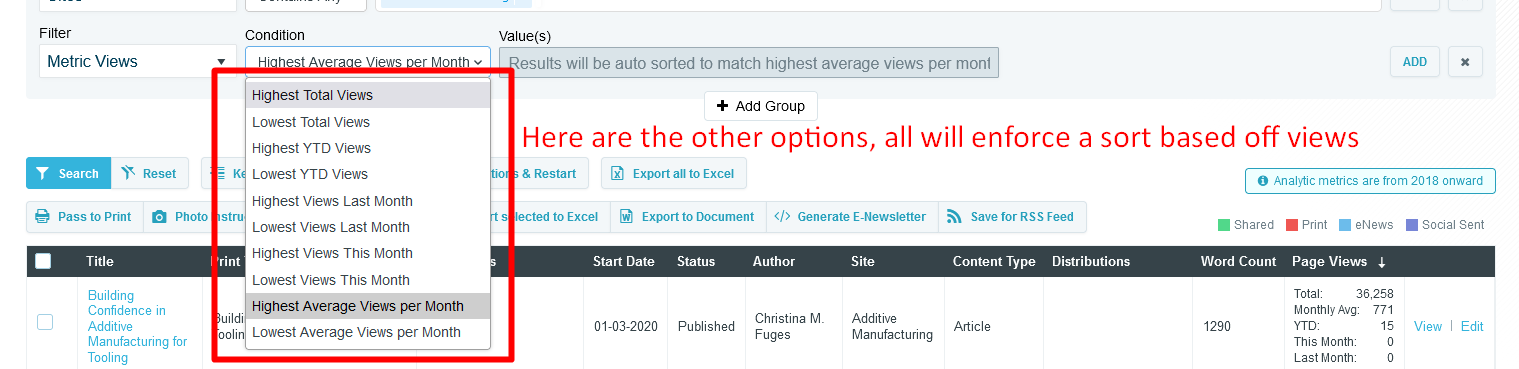
- Metric Views - Allows you to force a sort by a certain view condition, like highest average views per month
- Metric Timeframe - Allows you to specify a timeframe the metric views should use
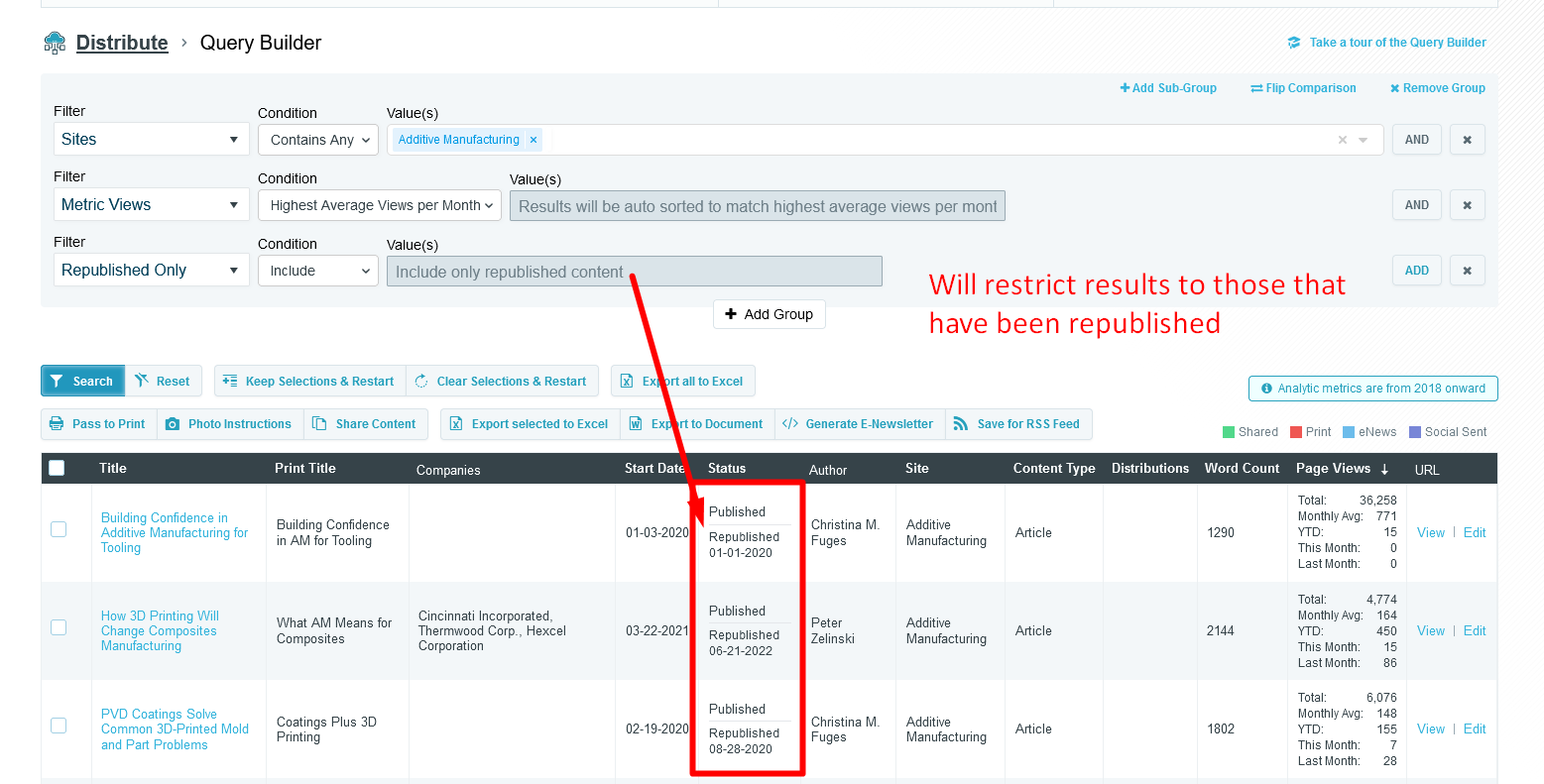
- Republished Only - Allows you to restrict the results to only republished content, or you can flip the condition and exclude any republished.
- Word Count - This one isn't new, but a new condition has been added "between" that allows you to specify your own min and max word range
A couple new view columns have been added as well
- Page Views - This includes total page views, monthly average, year-to-date, last month, and this month views. YTD, last month, and this month may or may not appear depending on any metric timeframe filter that may have been included in your query.
- Word Count - Will display the word count of the content item
- Status - This one isn't new, but will now also show whether the content item has been republished and what its republished date was.
Distribute Photo Instructions & Export Document
Tom Gobich
Distribute has had an issue where if you select near or over 50 content items, you'd run into an errored page due to the length of the URL exceeding the allowed character limit.
This issue has now been fixed for the Photo Instructions and Export Document actions, as these are the two actions most likely for this to occur.
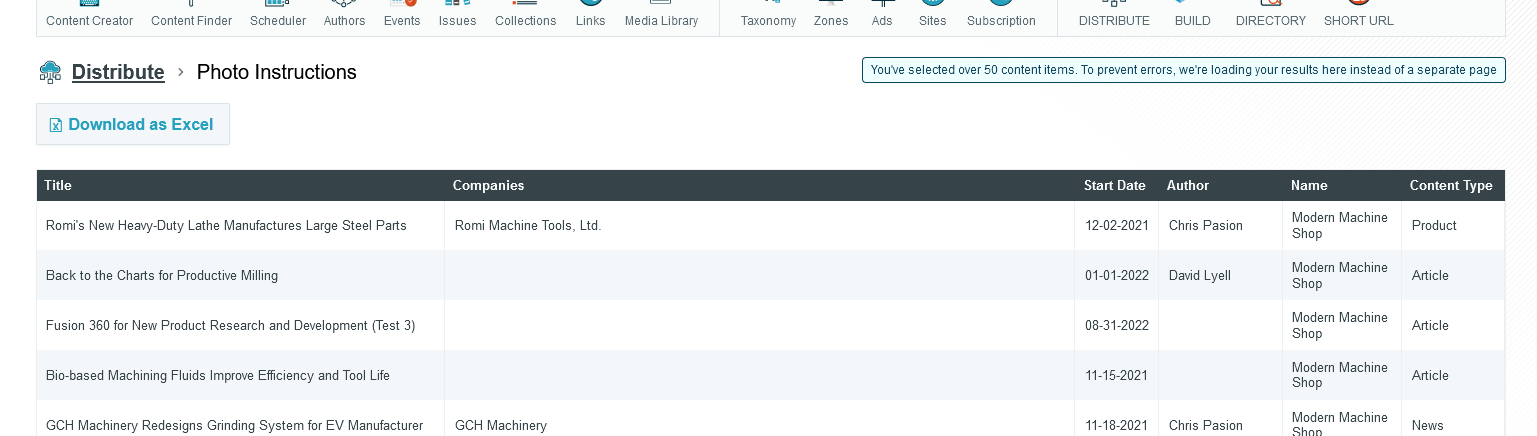
If you should select under 50 content items, these actions will behave as usual by opening the results on a new page where they can be re-ordered and exported. However, if you select over 50 content items, these actions will now be loaded on the same page to bypass the URL character length limitation. You'll still be able to re-order and export the items. When this occurs a note will be added to the page to signal this was intentional and not without reason.
Distribute Published Content Alteration
Tom Gobich
The default behavior of Distribute's Query Builder has been altered. Previously, the default behavior was to display live, published, content only within the results. Then, you could allow unpublished & future-dated content via the "Non-Published" filter. This behavior has now been flipped.
Now, the default behavior is to display published, unpublished, and future-dated content. Then, you can apply the "Published Only" filter to restrict results to live, published, content. This filter will be important to apply, for example, when creating an RSS Feed you intend to share or pull content from.
Additionally, we've now also added an actions column to the results. With these actions you can "View" the live content, "Preview" not yet published content, and open the content within the Editorial App by clicking "Edit". Note, unpublished content no longer contain a "View" link in the content header nor the action column since the resulting page would be a 404.
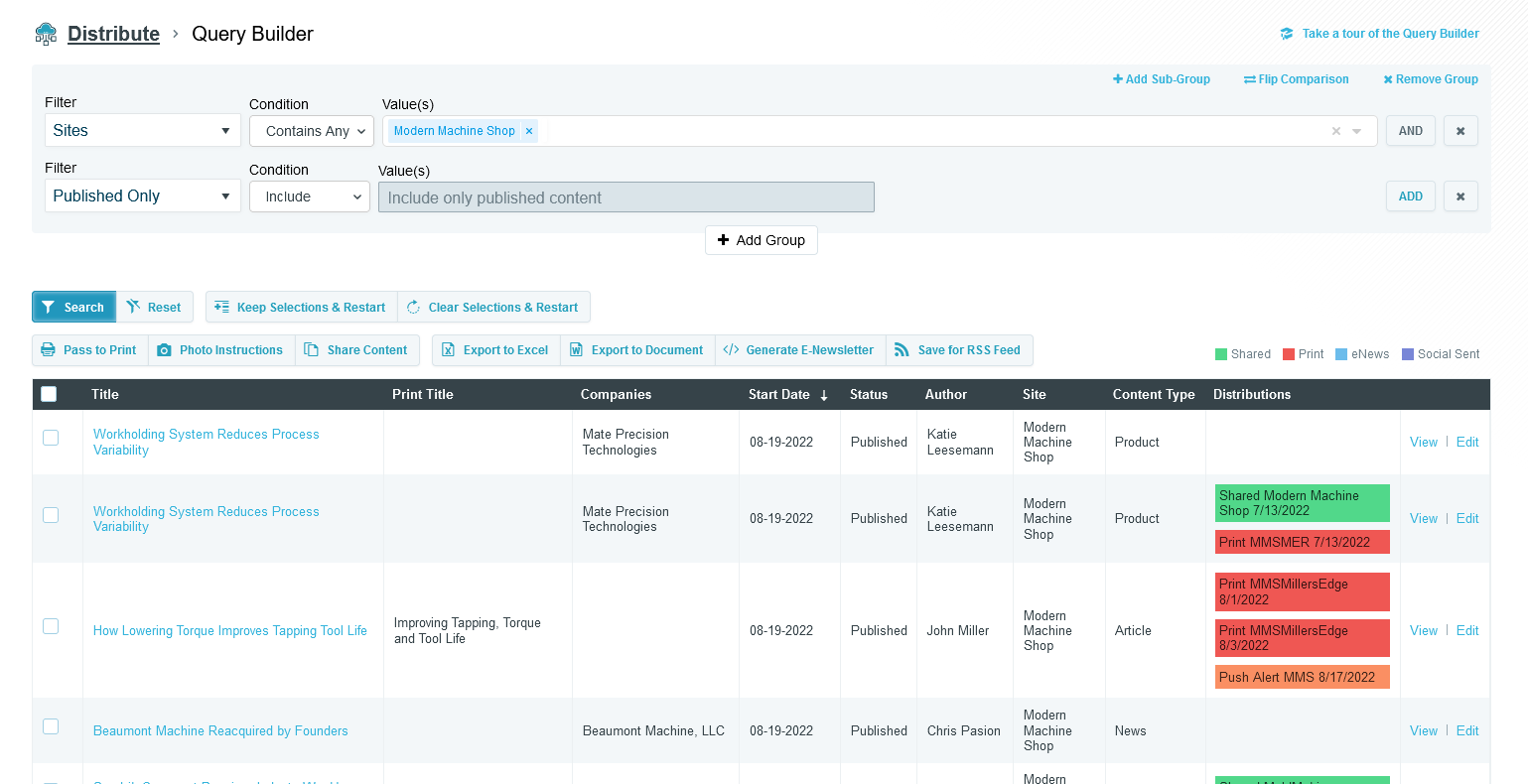
Above you can find an example of a Query Builder restricting the results to Published Only content. You can also see the new action column, the right-most column.
Distribute Updates & Fixes
Tom Gobich
Fixes
- Fixed an issue with the Query Builder where OR statements applied to the same group didn't work properly. This was accidentally broken as a part of yesterday's updates adding the Non-Published filter.
-
Fixed
an issue with the Query Builder where future dated published content
was getting included by default. Future dated content should've been restricted
to when the Non-Published filter is included in the query builder.
Updates
Improved the way errors are handled. Prior to this update if the Query Builder was converted into invalid SQL, zero results were returned for the query and no notice of an issue was given. Now, an error is captured and displayed (as shown below). This is now also being logged for us developers with information about the query so that we can easily replicate what led to the error.
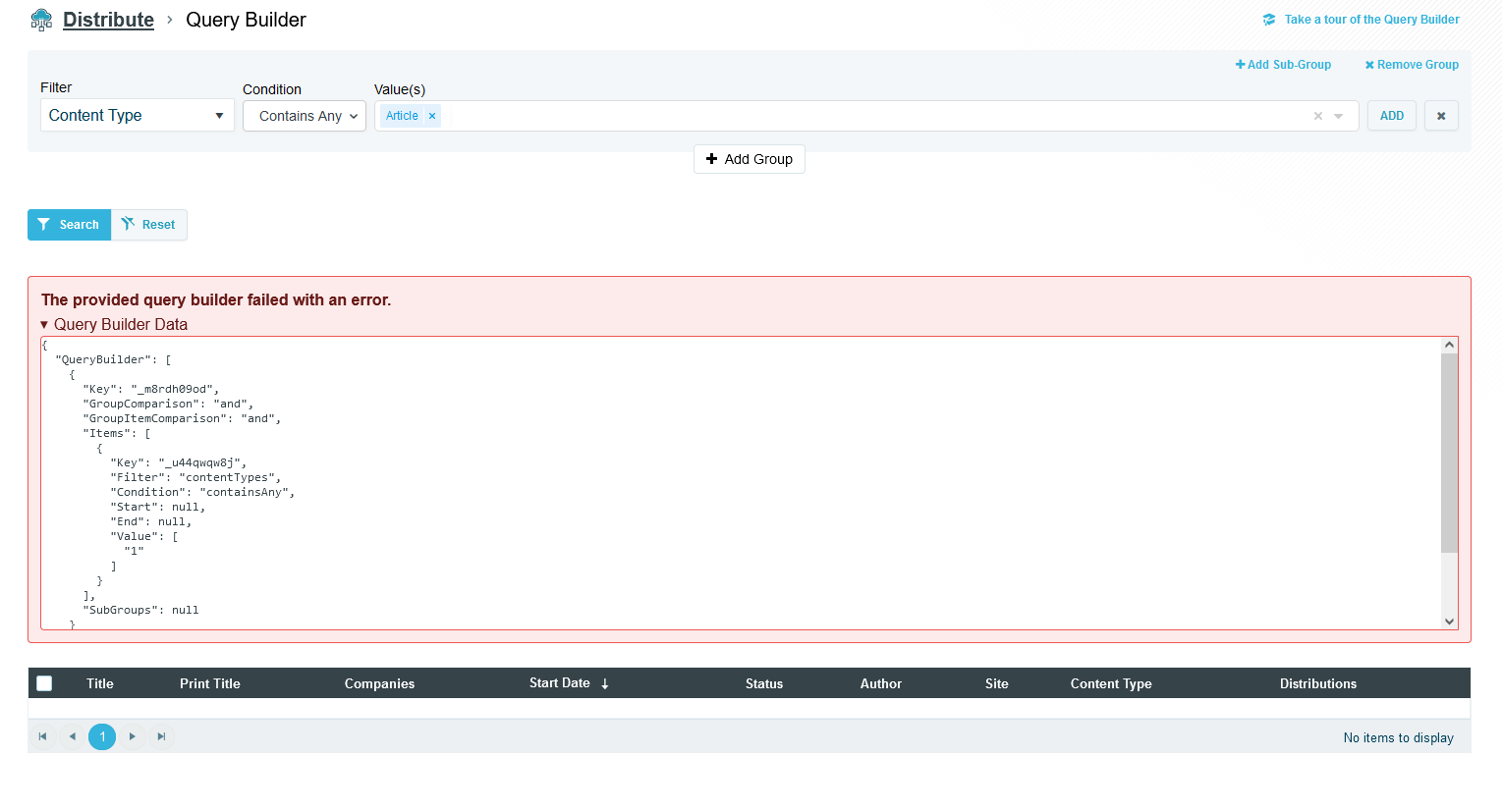
The above error was forced for demonstration purposes.
 Powered by ChangeCrab